
Important Educational Disclaimer
This article is for educational and informational purposes only and does not constitute financial, tax, investment, or legal advice. The mega backdoor Roth strategy involves complex tax rules and plan-specific requirements that vary significantly by employer. We do not provide personalized investment recommendations or tax advisory services. Tax laws change regularly, and this information is current as of November 2025. Before implementing any mega backdoor Roth strategy, consult with a qualified tax professional, CPA, and financial advisor who can evaluate your complete financial picture, verify your employer plan’s specific rules, and ensure proper execution. Mistakes in implementation can result in substantial unexpected tax bills. Past performance does not guarantee future results.
High earners can contribute an additional $46,500 to Roth accounts in 2025 through the mega backdoor Roth strategy – over 10 times the standard Roth IRA limit. But here’s the catch: most guides explain what it is without showing how to actually do it. This comprehensive implementation guide provides step-by-step instructions, employer plan compatibility checks, provider-specific walkthroughs, and troubleshooting for every common mistake.
Table of Contents
- What Is the Mega Backdoor Roth?
- Do You Qualify? Essential Requirements
- 2025 Contribution Limits and Calculations
- Step-by-Step Implementation Guide
- Mega Backdoor Roth Calculator
- Employer Plan Compatibility Checklist
- In-Plan vs In-Service Conversions
- 7 Common Mistakes and How to Avoid Them
- Provider-Specific Implementation
- Mega Backdoor vs Regular Backdoor Roth
- Tax Implications and Reporting
- Troubleshooting Guide
- Frequently Asked Questions
Calculate Your Mega Backdoor Roth Capacity
Use our free calculator to determine exactly how much you can contribute based on your age, current contributions, and employer match.
Use Free CalculatorWhat Is the Mega Backdoor Roth?
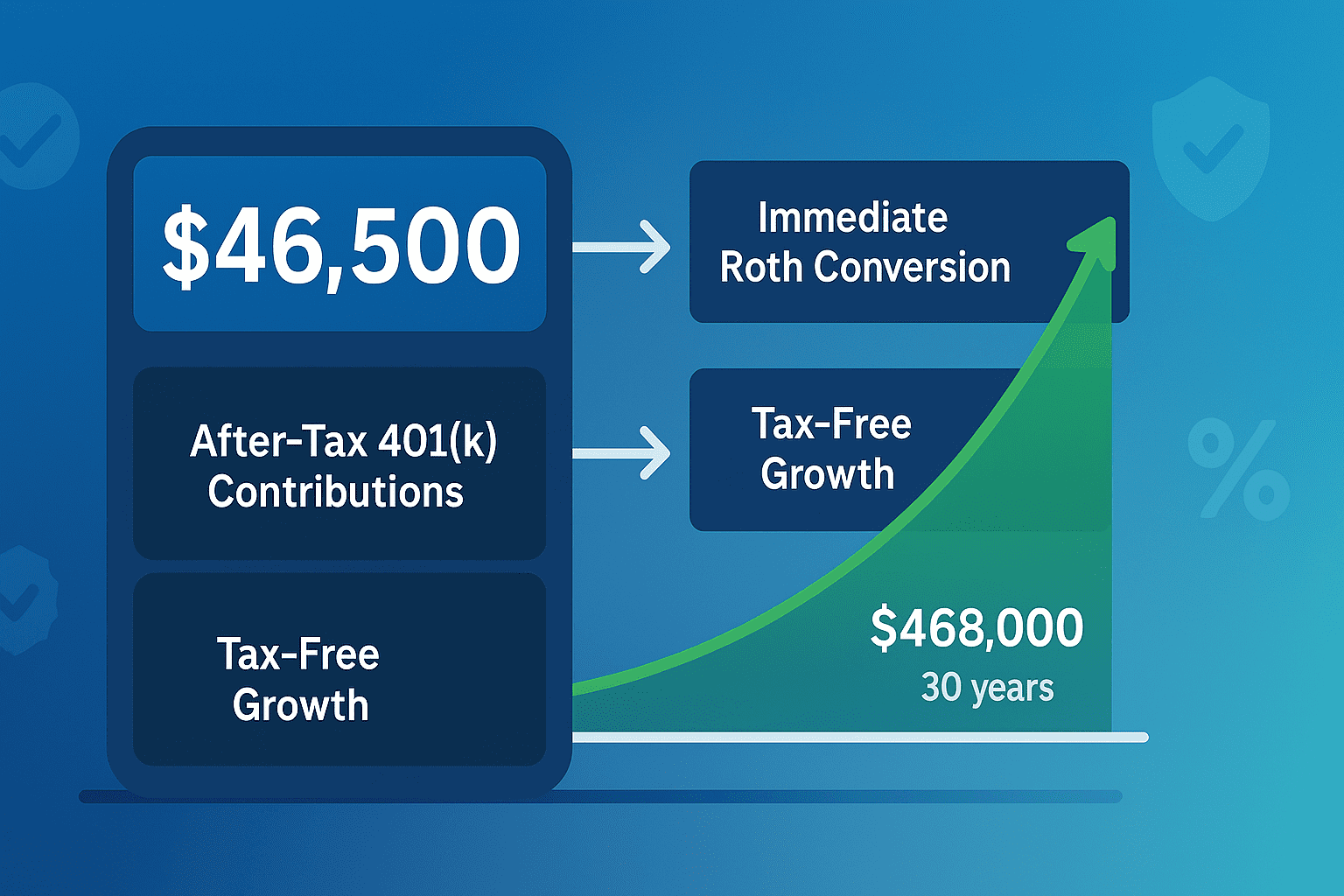
The mega backdoor Roth is a tax optimization strategy that allows you to contribute far beyond the standard $7,000 Roth IRA limit ($8,000 if 50+). By making after-tax contributions to your 401(k) and immediately converting them to Roth, you can funnel up to $46,500 in additional funds into tax-free accounts for 2025.
This isn’t a loophole Congress accidentally left open. It’s a deliberate feature built into the tax code that rewards high earners willing to navigate the complexity. The strategy works because the IRS sets two separate 401(k) limits: one for employee deferrals ($23,500) and another for total contributions ($70,000). The gap between these creates space for after-tax contributions that can be converted to Roth.
2025 Mega Backdoor Roth By the Numbers
- Maximum after-tax contribution: $46,500 (under age 50)
- Total 401(k) contribution limit: $70,000 (under 50), $77,500 (ages 50-59), $81,250 (ages 60-63)
- Employee deferral limit: $23,500 (under 50), $31,000 (ages 50-59), $34,750 (ages 60-63)
- Estimated plans offering this feature: 30% of large employers (mostly tech companies)
- Potential 30-year value: $230,000+ in additional Roth savings over five years at 8% returns
The real power lies in the conversion step. After-tax 401(k) contributions normally grow taxable, which makes them inferior to regular brokerage accounts. But by converting those funds immediately to Roth, you transform them into tax-free growth vehicles. That $46,500 contribution compounding tax-free for 30 years at 8% returns becomes $468,000 of wealth you’ll never pay taxes on.
Do You Qualify? Essential Requirements
Not everyone can use the mega backdoor Roth. Your eligibility depends entirely on your employer’s 401(k) plan design. You need three specific features, and lacking even one means the strategy won’t work.
Required Feature #1: After-Tax Contributions
Your 401(k) plan must allow after-tax contributions distinct from Roth 401(k) contributions. This is the foundation of the entire strategy. After-tax contributions differ from pre-tax and Roth deferrals because they don’t count toward the $23,500 employee deferral limit. Instead, they count only toward the $70,000 total contribution limit.
Critical Distinction: After-tax contributions are NOT the same as Roth 401(k) contributions. Roth 401(k) contributions are made with after-tax dollars but count toward your $23,500 deferral limit. After-tax contributions are a separate bucket that only appears in plans specifically designed to allow them. If your plan doesn’t explicitly mention “after-tax contributions” or “voluntary after-tax contributions,” it probably doesn’t offer this feature.
Required Feature #2: In-Plan Roth Conversion or In-Service Distribution
Making after-tax contributions alone doesn’t accomplish anything. You need a way to move those funds into Roth accounts. Your plan must allow one of these two methods:
In-Plan Roth Conversion: Converts your after-tax 401(k) contributions to a Roth 401(k) within the same plan while you’re still employed. This keeps everything inside your employer’s plan.
In-Service Distribution: Allows you to roll after-tax 401(k) contributions to an external Roth IRA while still working at the company. This moves funds outside the plan.
Many plans offer both options, giving you flexibility to choose where your Roth assets land. Some sophisticated plans even offer automatic conversion, where after-tax contributions immediately convert to Roth without you needing to request it manually.
Required Feature #3: Sufficient Contribution Room
The math must work out. After maxing your regular 401(k) contributions and accounting for employer matches, you need remaining space under the $70,000 total limit. High employer matches reduce your after-tax capacity. For more details on maximizing your overall 401(k) strategy, see our complete 401(k) optimization guide.
Real-World Example: Microsoft Senior Engineer
Salary: $220,000 | Age: 38
- Employee deferral (pre-tax/Roth 401(k)): $23,500
- Employer match (50% up to 6% of salary, capped at $345,000): $6,600
- Total so far: $30,100
- After-tax capacity: $39,900
This engineer can contribute nearly $40,000 in after-tax funds and immediately convert them to Roth, creating substantial tax-free growth potential.
Who Should Consider This Strategy?
The mega backdoor Roth makes sense for high earners who’ve already maxed other retirement vehicles. You’re an ideal candidate if you:
- Already contribute the maximum $23,500 to your 401(k)
- Earn too much to contribute directly to a Roth IRA ($165,000+ single, $246,000+ married)
- Have completed regular backdoor Roth IRA contributions ($7,000-$8,000)
- Want to save aggressively for retirement beyond standard limits
- Have sufficient cash flow to make after-tax contributions without straining your budget
- Work for a tech company or large employer offering this benefit
This strategy is less valuable if you’re not maxing out simpler options first. Always prioritize getting full employer match, maxing 401(k) deferrals, and funding Health Savings Accounts before adding complexity.
2025 Contribution Limits and Calculations
Understanding the math behind mega backdoor Roth is essential for maximizing the strategy. The 2025 limits create specific contribution windows based on your age and employer match.
| Age Group | Employee Deferral Limit | Total Contribution Limit | Maximum After-Tax (No Match) |
|---|---|---|---|
| Under 50 | $23,500 | $70,000 | $46,500 |
| 50-59 | $31,000 | $77,500 | $46,500 |
| 60-63 | $34,750 | $81,250 | $46,500 |
| 64+ | $31,000 | $77,500 | $46,500 |
How to Calculate Your After-Tax Capacity
The formula is straightforward but requires knowing your employer’s exact match formula:
Step 1: Start with the total limit for your age group ($70,000 for most people)
Step 2: Subtract your employee deferrals ($23,500 if you’re maxing out)
Step 3: Subtract your employer’s matching contributions
Step 4: The remainder is your after-tax capacity
Example Calculation: Amazon Software Engineer
Age: 42 | Salary: $400,000 | Match: 50% up to 4% (max $7,000)
- Total limit: $70,000
- Employee deferral: -$23,500
- Employer match: -$7,000
- After-tax capacity: $39,500
This engineer can make $39,500 in after-tax contributions annually and convert them all to Roth, creating nearly $40,000 in tax-free growth potential each year.
The Employer Match Complication
Employer matches complicate calculations because they’re often percentage-based with caps. Many companies use formulas like “50% match up to 6% of salary,” but the IRS limits the salary considered for matching to $345,000 in 2025. This means even if you earn $500,000, your match calculates based on $345,000 maximum.
Some employers also offer “true-up” contributions that reconcile matching if you max out early in the year. These additional employer contributions reduce your after-tax capacity when they hit your account, so you need to plan for them.
Step-by-Step Implementation Guide
Executing a mega backdoor Roth requires precision. Missing a step or mistiming the conversion creates tax complications. Here’s the complete implementation process.
Step 1: Verify Plan Eligibility (Week 1)
Don’t assume your plan qualifies. Start by finding your Summary Plan Description (SPD), a legal document your employer must provide. Look for these exact phrases:
- “After-tax contributions” or “voluntary after-tax contributions”
- “In-plan Roth conversion” or “in-plan rollover”
- “In-service distribution” or “in-service withdrawal”
If the SPD doesn’t clearly state these features, contact your plan administrator directly. Ask specifically: “Does our plan allow after-tax contributions beyond the employee deferral limit, and can we convert those to Roth while still employed?”
Pro Tip: Don’t use the phrase “mega backdoor Roth” with your HR department. It’s an unofficial term they may not recognize. Use the technical language: “Can I make voluntary after-tax 401(k) contributions and convert them to Roth?”
Step 2: Max Out Regular 401(k) Contributions First
Never make after-tax contributions before maxing your regular employee deferrals. The tax benefits are better for standard pre-tax or Roth 401(k) contributions. Set your payroll deduction to contribute $23,500 over the course of the year (or $31,000/$34,750 if you qualify for catch-up).
Calculate the required percentage of your paycheck: Divide your maximum contribution by your annual salary, then divide by number of pay periods. For someone earning $200,000 with biweekly paychecks (26 per year):
$23,500 ÷ $200,000 = 11.75% of salary
$23,500 ÷ 26 = $903.85 per paycheck
Step 3: Calculate Employer Match and After-Tax Capacity
Use your pay stub and benefits documents to determine your exact employer match. Most companies show this clearly on your 401(k) statement. Account for any profit-sharing or discretionary contributions that count toward the $70,000 limit.
Then calculate your after-tax room using the formula from the previous section. This is the amount you can contribute as after-tax funds.
Step 4: Set Up After-Tax Contributions
Log into your 401(k) provider’s website. Navigate to the contributions section and look for “after-tax” or “voluntary after-tax” contribution options. This will be separate from your regular 401(k) and Roth 401(k) contribution fields.
Enter your desired after-tax contribution as a percentage of pay or dollar amount per paycheck. Some employers allow you to front-load contributions early in the year; others require even distribution across all pay periods.
Step 5: Set Up Automatic Conversions (If Available)
Many sophisticated plans offer automatic in-plan Roth conversions. If your plan has this feature, enable it. This setting automatically converts your after-tax contributions to Roth 401(k) as soon as they hit your account, eliminating the need for manual conversion requests.
Automatic conversion is ideal because it minimizes the time money sits in after-tax status, reducing taxable earnings that accrue before conversion.
Step 6: Monitor and Convert Regularly
If your plan doesn’t offer automatic conversion, you must manually convert after-tax funds to Roth. Most plans allow conversions monthly, quarterly, or as needed. The more frequently you convert, the less taxable earnings you’ll have.
Set a calendar reminder (monthly is reasonable) to log in and request a conversion. The process typically involves:
- Logging into your 401(k) provider website
- Navigating to “Conversions” or “Rollovers” section
- Selecting “Convert after-tax contributions to Roth 401(k)”
- Choosing whether to convert earnings (you’ll pay tax on earnings)
- Confirming the transaction
Step 7: Track Contributions for Tax Reporting
Keep detailed records of all after-tax contributions and conversions. You’ll need this information for tax filing. Your 401(k) provider will issue Form 1099-R showing the conversion, and you’ll need to report it correctly on Form 8606 and Form 1040.
Save all confirmation statements, contribution records, and year-end summaries. Good record-keeping prevents IRS questions and ensures accurate tax reporting.
Timeline Summary
Week 1: Verify plan eligibility and features
Week 2: Set up regular 401(k) max contributions
Week 3: Calculate after-tax capacity
Week 4: Set up after-tax contributions
Ongoing: Convert monthly or enable automatic conversions
Year-end: Verify total contributions don’t exceed limits
Mega Backdoor Roth Calculator
Calculate Your After-Tax Contribution Capacity
Enter your information to determine how much you can contribute via mega backdoor Roth in 2025.
Your Mega Backdoor Roth Results
Total Contribution Limit for Your Age
Current Contributions (Employee + Employer)
Available After-Tax Contribution Capacity
30-Year Projected Value (8% Annual Return)
This assumes you max out this after-tax contribution annually and immediately convert to Roth for tax-free growth over 30 years.
Note: This calculator provides estimates based on your inputs and assumes consistent annual contributions with immediate Roth conversion. Actual results will vary based on investment performance, contribution timing, and changes to tax laws. Consult a financial advisor for personalized guidance.
Employer Plan Compatibility Checklist
Not all 401(k) plans support mega backdoor Roth. Use this comprehensive checklist to determine if your plan qualifies and identify which conversion method you can use.
Essential Requirements (Must Have All Three)
Plan Feature Verification Checklist
Check your Summary Plan Description or ask your plan administrator these specific questions:
- ✓ After-Tax Contributions: “Does our plan allow voluntary after-tax contributions beyond the employee deferral limit?”
- ✓ Roth Conversion: “Can I convert after-tax contributions to Roth 401(k) while still employed (in-plan conversion)?”
- ✓ In-Service Distribution: “Can I roll over after-tax contributions to an external Roth IRA while still working here?”
If you get “yes” to #1 and at least one of #2 or #3, your plan supports mega backdoor Roth.
Companies Known to Offer Mega Backdoor Roth
Based on crowdsourced data from Levels.fyi and employee reports, these major employers offer plans with the required features. Always verify with your specific plan administrator, as features can change:
Technology: Google, Microsoft, Amazon, Apple, Meta (Facebook), Netflix, Uber, Nvidia, Adobe, Salesforce, Oracle, Dell, IBM, Intel, AMD, Cisco, VMware, Qualcomm, Snowflake, Databricks, Airbnb, Stripe, Square, Twitter/X, LinkedIn, Snap, Pinterest, Reddit, Shopify, Spotify, Zoom, Atlassian, DocuSign, ServiceNow, Workday, Splunk, Palo Alto Networks
Finance: Goldman Sachs, Morgan Stanley, JPMorgan Chase, Bank of America, Wells Fargo, Citigroup, Charles Schwab
Other Industries: Boeing, General Electric, Nike, Starbucks, Costco, Home Depot
Self-employed individuals with Solo 401(k) plans can also access mega backdoor Roth if they choose the right provider (see Provider-Specific Implementation section).
Red Flags That Mean “No”
These situations indicate your plan doesn’t support mega backdoor Roth:
- Your plan administrator says “We don’t allow after-tax contributions”
- The Summary Plan Description only mentions pre-tax and Roth 401(k), no after-tax bucket
- Your 401(k) portal has no field for “after-tax” or “voluntary after-tax” contributions
- The plan allows after-tax contributions but prohibits all withdrawals before termination
- Your company uses a simplified 401(k) plan like SIMPLE IRA (these don’t support after-tax contributions)
In-Plan vs In-Service Conversions
Once you make after-tax contributions, you need to convert them to Roth. Your plan dictates which method you can use, and each approach has distinct advantages.
In-Plan Roth Conversion
An in-plan Roth conversion moves your after-tax 401(k) funds into a Roth 401(k) within the same plan. Everything stays under your employer’s 401(k) umbrella.
Advantages:
- Simpler administration – one plan, one statement, one set of investment options
- Can often automate conversions, eliminating manual work
- Loan availability (if plan allows loans from Roth 401(k))
- Higher asset protection in bankruptcy (ERISA plans have unlimited federal protection)
- No need to manage separate Roth IRA accounts
Disadvantages:
- Limited investment options (stuck with plan’s fund lineup)
- Plan fees may be higher than low-cost Roth IRA providers
- Must take RMDs starting at age 73 (Roth 401(k)s have RMDs, unlike Roth IRAs)
- Funds can’t be accessed until age 59½ or separation from service
In-Service Distribution to Roth IRA
An in-service distribution allows you to roll after-tax 401(k) contributions directly to an external Roth IRA while still employed. This moves money completely outside the 401(k) system.
Advantages:
- Complete investment freedom – choose any stocks, ETFs, mutual funds, bonds
- Lower fees with discount brokers (Fidelity, Schwab, Vanguard)
- No RMDs ever during your lifetime
- Simpler estate planning (beneficiaries inherit Roth IRA with clear rules)
- Access to Roth IRA contributions (not earnings) penalty-free anytime
Disadvantages:
- More accounts to manage and rebalance
- Additional paperwork for rollovers
- Five-year seasoning period for earnings withdrawals starts over with each conversion
- Slightly lower creditor protection (state laws vary)
Which Method Should You Choose?
If your plan offers both options, consider in-service distribution to Roth IRA for most situations. The investment flexibility, elimination of RMDs, and generally lower fees outweigh the slight additional complexity. Use in-plan conversion only if you value simplicity above all else or your plan charges fees for distributions.
The Split Strategy
Some investors use both methods strategically. They convert a portion to Roth 401(k) for convenience and rollover another portion to Roth IRA for flexibility. This works well if you want to maintain some funds in the plan while moving others to an IRA for better investment options.
7 Common Mistakes and How to Avoid Them
The mega backdoor Roth has more ways to go wrong than almost any retirement strategy. These mistakes cost people thousands in unnecessary taxes or lost opportunities.
Mistake #1: Forgetting to Convert After-Tax Contributions
This is the most expensive error. Making after-tax contributions without converting them to Roth defeats the entire purpose. The growth on after-tax contributions is taxable as ordinary income, making them worse than a regular brokerage account.
The damage: If you contribute $40,000 after-tax and forget to convert for a year, and that money grows 10%, you’ll owe taxes on the $4,000 gain at your ordinary income rate (potentially 35-37%). That’s up to $1,480 in unnecessary taxes on just one year’s mistake.
How to avoid it: Set up automatic in-plan conversions if your plan offers them. If not, create a recurring monthly calendar reminder to manually request conversions. Convert at least quarterly to limit taxable growth.
Mistake #2: Miscalculating After-Tax Capacity
Highly compensated employees often miscalculate their available room because employer matches have nuances. The most common error: not accounting for the $345,000 salary limit on match calculations or forgetting about year-end true-up contributions.
Example error: An employee earning $500,000 with a 6% match assumes their employer will contribute $30,000 (6% of $500,000). Actually, the match caps at $20,700 (6% of $345,000). This person overestimates employer contributions and under-contributes after-tax funds, leaving money on the table.
How to avoid it: Review your pay stubs carefully to see actual employer match amounts. Add a buffer – contribute slightly less after-tax than your calculation suggests to avoid exceeding the $70,000 limit and triggering excess contribution problems.
Mistake #3: Delaying Conversions and Accumulating Taxable Earnings
The longer after-tax funds sit unconverted, the more taxable earnings accumulate. Some people make after-tax contributions all year and convert once annually. This creates a substantial tax bill on the earnings.
The math: Contributing $3,000 monthly after-tax for 12 months, with average balance of $18,000 at 8% annual return = approximately $1,440 in taxable earnings. That’s $360-$530 in taxes depending on your bracket.
How to avoid it: Convert immediately if your plan has automatic conversion. Otherwise, convert at least monthly. Even quarterly conversions are far better than annual. The more frequently you convert, the smaller your taxable earnings.
Mistake #4: Ignoring the Pro-Rata Rule with Rollover IRAs
This mistake applies when using in-service distributions to Roth IRA. If you have existing rollover IRAs from previous employers with pre-tax dollars, the pro-rata rule makes part of your mega backdoor Roth conversion taxable.
How it works: The IRS views all your traditional IRAs as one big pot. If you have $100,000 in a rollover IRA and try to convert $40,000 from mega backdoor after-tax contributions, the IRS treats it as converting both after-tax and pre-tax money proportionally. This creates a tax bill you didn’t expect.
How to avoid it: Before starting mega backdoor with in-service Roth IRA distributions, roll your existing traditional IRA assets into your current 401(k) (if your plan allows “roll-ins”) or into a Solo 401(k) if you have self-employment income. This removes those assets from the pro-rata calculation. Alternatively, use in-plan Roth conversion instead, which completely avoids the pro-rata issue.
Critical Note: The pro-rata rule ONLY applies to in-service distributions to Roth IRA. It does NOT apply to in-plan Roth conversions. If you’re using in-plan conversion within your 401(k), you don’t need to worry about existing rollover IRAs.
Mistake #5: Maxing After-Tax Before Considering Liquidity Needs
Some aggressive savers pour every available dollar into after-tax 401(k) contributions, forgetting they might need cash for other priorities. After-tax contributions are still retirement funds subject to penalties for early withdrawal.
The problem: You contribute $40,000 after-tax, convert to Roth, then need money for a house down payment or emergency. Accessing Roth conversion amounts less than five years old triggers penalties. You’ve locked up money you needed.
How to avoid it: Only make after-tax contributions after securing a 6-month emergency fund and meeting shorter-term savings goals. Consider whether you’ll need substantial cash in the next 3-5 years for a home purchase, wedding, education, or other major expenses before committing funds.
Mistake #6: Not Verifying Conversion Completion
Requesting a conversion doesn’t guarantee it processed correctly. System errors, incomplete forms, or misunderstandings about which funds to convert can leave money unconverted.
How to avoid it: After requesting any conversion, check your 401(k) statement 1-2 weeks later to confirm the funds moved from “after-tax” to “Roth 401(k)” or that the Roth IRA received the rollover. Save confirmation statements. Review year-end 401(k) summaries to verify no after-tax balance remains at December 31.
Mistake #7: Forgetting About Non-Deductible Contribution Documentation
You must track after-tax contributions for tax reporting. The IRS won’t know which of your 401(k) contributions were after-tax unless you document it properly on Form 8606.
How to avoid it: Keep copies of all pay stubs showing after-tax contributions, 401(k) statements showing the after-tax balance, and any conversion confirmation documents. File Form 8606 with your tax return every year you make after-tax contributions, even if you immediately convert them. This creates a paper trail proving the contributions already paid taxes.
Provider-Specific Implementation
The process for implementing mega backdoor Roth varies by 401(k) provider. Here’s how to navigate the major platforms.
Fidelity NetBenefits
Setting up after-tax contributions:
- Log in to NetBenefits at fidelity.com
- Navigate to “Contributions” under your 401(k) account
- Look for “After-Tax” or “Voluntary After-Tax” contribution field (separate from pre-tax and Roth)
- Enter your desired contribution amount or percentage
- Submit changes (processes next payroll)
Converting to Roth: Call Fidelity Retirement Services at 800-343-3548 and request an “in-plan Roth conversion of after-tax contributions.” Fidelity doesn’t offer an online self-service option for conversions. The phone representative will process it in about 10 minutes. Some plans allow online conversions through a “Roth In-Plan Conversion” button on the main account page.
For in-service distributions: Request a “rollover of after-tax 401(k) contributions to Roth IRA” and provide your external Roth IRA account information.
Vanguard
Setting up after-tax contributions:
- Log in to Vanguard Participant at vanguard.com
- Navigate to “Change Contribution Amount”
- Find the after-tax contribution field (may be labeled “Employee After-Tax”)
- Enter your contribution amount
- Confirm changes
Converting to Roth: Some Vanguard plans offer online in-plan Roth conversion under “Account Services” → “Roth In-Plan Conversion.” If not available online, call Vanguard Participant Services at 800-523-1188.
Schwab
Schwab provides a cleaner online interface for mega backdoor Roth than most providers.
Setting up after-tax contributions:
- Log in to Schwab Retirement Plan Services
- Navigate to “Contribution Information”
- Scroll to “After-Tax Contributions” section
- Enter percentage or dollar amount per pay period
- Save changes
Converting to Roth: Many Schwab plans offer automatic in-plan conversion. Look under “Account Services” → “Automatic In-Plan Roth Conversion” to enable it. For manual conversions, use “Convert to Roth” under the main account page or call 888-393-7272.
Empower (formerly Personal Capital Retirement)
Empower is less common but used by some mid-size employers.
Setting up after-tax contributions: Navigate to “Contribution Elections” and look for the after-tax option. Not all Empower-administered plans support after-tax contributions even if the legal plan document allows them—call the helpline if you don’t see the option.
Converting to Roth: Empower typically requires calling participant services at 844-227-5596 for Roth conversions.
Solo 401(k) Providers
Self-employed individuals need specialized providers. Traditional brokers (Fidelity, Schwab, E-Trade) don’t typically support after-tax contributions or in-plan Roth conversions in their Solo 401(k) plans.
Providers that DO support mega backdoor for Solo 401(k):
- My Solo 401k Financial: Specializes in self-directed Solo 401(k) with full mega backdoor support, including IRS reporting assistance. Setup fee around $595.
- Rocket Dollar: Offers Solo 401(k) with after-tax contribution capability. Annual fees around $360.
- IRA Financial: Self-directed Solo 401(k) supporting mega backdoor Roth. Setup around $1,299.
For Solo 401(k) mega backdoor Roth, you must establish the plan with a provider that explicitly supports voluntary after-tax contributions and Roth conversions in the plan document.
Mega Backdoor vs Regular Backdoor Roth
Mega backdoor Roth and regular backdoor Roth sound similar but are completely different strategies using different accounts. Many high earners should use BOTH strategies to maximize tax-advantaged savings.
| Feature | Regular Backdoor Roth | Mega Backdoor Roth |
|---|---|---|
| Account Type | Traditional IRA → Roth IRA | After-tax 401(k) → Roth 401(k) or Roth IRA |
| Maximum Annual Amount | $7,000 ($8,000 if 50+) | Up to $46,500 (depends on 401(k) limit and other contributions) |
| Employer Plan Required | No | Yes (401(k) must allow after-tax contributions and conversions) |
| Pro-Rata Rule Risk | Yes (traditional IRA balances complicate it) | Only if using in-service distributions; not an issue with in-plan conversions |
| Who Can Use It | Anyone with earned income (bypasses Roth IRA income limits) | Employees at companies with compatible 401(k) plans; self-employed with right Solo 401(k) |
| Complexity Level | Moderate | High |
| Tax Implications | Tax-free if no earnings before conversion | Tax-free if converted immediately; tax on earnings if delayed |
Can You Do Both? Yes, and You Should.
Regular backdoor Roth and mega backdoor Roth are completely independent strategies. They use different accounts and count toward different limits. High earners excluded from direct Roth IRA contributions can execute both. For a detailed walkthrough of the regular strategy, see our backdoor Roth IRA step-by-step guide.
Combined Strategy for 2025:
- Regular backdoor Roth: $7,000 (or $8,000 if 50+) via Traditional IRA → Roth IRA
- Mega backdoor Roth: Up to $46,500 via after-tax 401(k) → Roth 401(k) or Roth IRA
- Total Roth contributions: $53,500+ annually
This combined approach allows married couples to potentially contribute over $100,000 to Roth accounts in a single year if both spouses have access. To understand the broader benefits of Roth accounts, read our Roth IRA vs Traditional IRA comparison guide.
Tax Implications and Reporting
Mega backdoor Roth conversions create specific tax reporting requirements. Understanding the tax treatment prevents errors and unnecessary tax bills.
What Gets Taxed?
After-tax contributions are already taxed, so converting the contributions themselves to Roth creates zero additional tax. However, any earnings that accrue between making the after-tax contribution and completing the conversion ARE taxable.
Example: You contribute $10,000 after-tax to your 401(k) on January 15. By the time you convert on February 1, the investment grew to $10,150. The $10,000 principal converts tax-free, but the $150 in earnings is taxable at your ordinary income rate.
This is why immediate conversion matters. The faster you convert, the smaller your taxable earnings.
Required Tax Forms
Your 401(k) provider will issue Form 1099-R showing the conversion. This form reports the distribution from your after-tax 401(k) account.
You must file Form 8606 (Nondeductible IRAs) with your tax return if you use in-service distributions to Roth IRA. This form tracks the basis in your after-tax contributions and ensures the IRS knows you already paid tax on the principal.
For in-plan Roth conversions that stay within the 401(k), your tax preparer will report the conversion on Form 1040 based on the 1099-R information.
State Tax Considerations
Most states follow federal treatment and don’t tax Roth conversions of after-tax contributions. However, a few states have quirks:
- California: No special issues; follows federal treatment
- New Jersey: Requires separate calculation; consult a CPA
- Pennsylvania: Treats all retirement distributions (including Roth conversions) as taxable for state purposes; mega backdoor creates unexpected state tax
If you live in a state with unusual retirement tax treatment, verify the state tax implications with a tax professional before implementing.
The Five-Year Rule
Roth 401(k) and Roth IRA withdrawals follow a five-year seasoning period. For mega backdoor conversions:
Contributions: Can be withdrawn anytime tax-free and penalty-free (they already paid taxes)
Earnings: Must satisfy the five-year rule AND be over age 59½ for tax-free withdrawal. The five-year period starts January 1 of the year you made the conversion.
If you convert $40,000 in March 2025, you can access that $40,000 anytime. But any growth on that $40,000 can’t be accessed penalty-free and tax-free until you’re 59½ AND it’s been five years since January 1, 2025.
Troubleshooting Guide
Problems will arise during implementation. Here’s how to diagnose and fix the most common issues.
Issue: Your 401(k) Portal Doesn’t Show After-Tax Contribution Option
Possible causes:
- Your plan doesn’t actually allow after-tax contributions
- The feature exists but isn’t enabled in the online portal
- You haven’t completed enrollment steps required to unlock the feature
Solution: Call your plan administrator directly. Ask: “I believe our plan allows voluntary after-tax contributions, but I don’t see that option on my online account. Can you help me access that feature?” If they confirm the plan doesn’t offer it, you can’t use mega backdoor Roth. If the feature exists but isn’t visible online, they can enable it or process contributions via paper form.
Issue: You Contributed Too Much and Exceeded the $70,000 Limit
Symptoms: You receive notice of excess contributions or your employer refunds part of your contribution.
Solution: Request an immediate return of the excess amount. Your plan administrator must return over-contributions by April 15 of the following year to avoid tax penalties. The excess amount plus any earnings on it will be taxable in the year you made the contribution. Adjust your future contributions to prevent recurrence.
Issue: Your Conversion Request Was Denied or Failed
Common reasons:
- Your plan doesn’t allow conversions as frequently as you requested (e.g., only quarterly, not monthly)
- You tried to convert more than your after-tax balance
- System processing error
Solution: Check your plan’s conversion rules in the SPD. Some plans limit conversion frequency. If it’s a system error, call the plan administrator to manually process. Document the date you requested the conversion in case tax questions arise later.
Issue: You Have Large Earnings on After-Tax Contributions Before Conversion
Scenario: You contributed $30,000 after-tax throughout the year but forgot to convert. It’s now worth $35,000. Converting triggers a $5,000 tax bill.
Solutions:
- Convert anyway: Pay the tax on $5,000 as ordinary income. It’s painful but better than leaving it unconverted where ALL future gains remain taxable.
- Separate conversion: Some plans allow you to convert just the after-tax principal to Roth and leave earnings in the after-tax account. You can then withdraw earnings separately or convert them later when your income is lower.
Issue: Pro-Rata Rule Creates Unexpected Taxes
Scenario: You have a $200,000 rollover IRA from a previous employer. You do a mega backdoor Roth in-service distribution of $40,000 to a Roth IRA. The pro-rata rule makes most of that $40,000 taxable because of your existing traditional IRA balance.
Solution:
- Before next conversion: Roll your traditional IRA into your current 401(k) (if your plan accepts “roll-ins”)
- Alternative: Switch to in-plan Roth conversion instead of in-service distributions to avoid pro-rata entirely
- If damage is done: File Form 8606 correctly with help from a CPA to properly report the taxable and non-taxable portions
Frequently Asked Questions
Yes. The mega backdoor Roth has no income limits. Even if you earn $500,000+ and can’t contribute directly to a Roth IRA, you can still use the mega backdoor strategy as long as your employer’s 401(k) plan allows after-tax contributions and conversions. This is precisely why the strategy is so valuable for high earners – it bypasses the Roth IRA income restrictions entirely.
No. Employer matching only applies to your regular employee deferrals (pre-tax or Roth 401(k) contributions up to $23,500). After-tax contributions are voluntary amounts beyond that limit, and companies almost never match them. However, employer matches DO count toward the $70,000 total limit, which reduces your available after-tax contribution room.
Both are made with after-tax dollars, but they count toward different limits. Roth 401(k) contributions count toward the $23,500 employee deferral limit and grow tax-free. After-tax 401(k) contributions count toward the $70,000 total limit (not the $23,500 limit) but grow taxable unless you convert them to Roth. Think of after-tax contributions as a temporary holding bucket that you immediately move into Roth via conversion.
Absolutely. They’re independent strategies using different accounts. You can do a regular backdoor Roth via Traditional IRA → Roth IRA ($7,000-$8,000) AND a mega backdoor Roth via 401(k) (up to $46,500) in the same year. Combined, this allows up to $53,500+ in annual Roth contributions, which is powerful for high earners.
Request your Summary Plan Description (SPD) from HR or find it in your benefits portal. Search for these phrases: “after-tax contributions,” “voluntary after-tax,” “in-plan Roth conversion,” or “in-service distribution.” If you see these terms, call your plan administrator to confirm. Ask specifically: “Does our plan allow voluntary after-tax contributions beyond the deferral limit, and can we convert those to Roth while still employed?”
As frequently as your plan allows. Many plans permit monthly conversions, which is ideal. The more frequently you convert, the less taxable earnings accumulate between contribution and conversion. If your plan offers automatic conversion where after-tax funds immediately convert to Roth, enable that feature. At minimum, convert quarterly to keep earnings minimal.
You can still convert them in the new year. However, any earnings that accrued will be taxable when you convert. The longer the delay, the larger the potential tax hit. If you discover unconverted after-tax funds from months ago, convert immediately to prevent further earnings accumulation. File your taxes correctly reporting the taxable earnings portion on Form 8606.
In-service rollover to Roth IRA is generally better because Roth IRAs have no required minimum distributions (RMDs), offer unlimited investment options, and typically have lower fees. Roth 401(k)s require RMDs starting at age 73. However, if your plan doesn’t allow in-service distributions, in-plan conversion to Roth 401(k) is still worthwhile. You can always roll the Roth 401(k) to a Roth IRA later when you leave the company.
Yes, but with limitations. If you converted to Roth IRA, you can withdraw your contribution amounts (not earnings) anytime tax-free and penalty-free. However, converted amounts less than five years old may face a 10% penalty if you’re under 59½. Each conversion starts its own five-year clock. This makes mega backdoor less liquid than regular savings, so ensure you have adequate emergency funds before committing large sums.
No. After-tax 401(k) contributions don’t provide tax deductions, so they don’t interact with other deduction limitations. Your ability to deduct traditional IRA contributions, claim credits, or itemize deductions remains unchanged. The mega backdoor Roth is a conversion strategy, not a deduction strategy, so it has minimal impact on your current year tax return beyond any small taxable earnings on conversions.
Ready to Maximize Your Retirement Savings?
The mega backdoor Roth is just one advanced strategy for high earners. Explore our complete guides on tax optimization and retirement account strategies.
Read Our Roth IRA Guide